 RC
RCRCForge: a free, open-source RC flight simulator#
RCForge is a free, open-source RC flight simulator and aircraft editor that runs in your browser. Fly planes, drones and VTOL aircraft; customize components, balance, controls and flying environments. Your setups stay in your browser until you export them.
The MIT-licensed source code runs locally or on your own host without accounts, API keys or AI services. On rcforge.adithyask.com, guests can fly Simple Trainer with the keyboard; free Google sign-in unlocks the other aircraft, inputs and editing tools.
Open the RC flight simulator or follow your first flight.
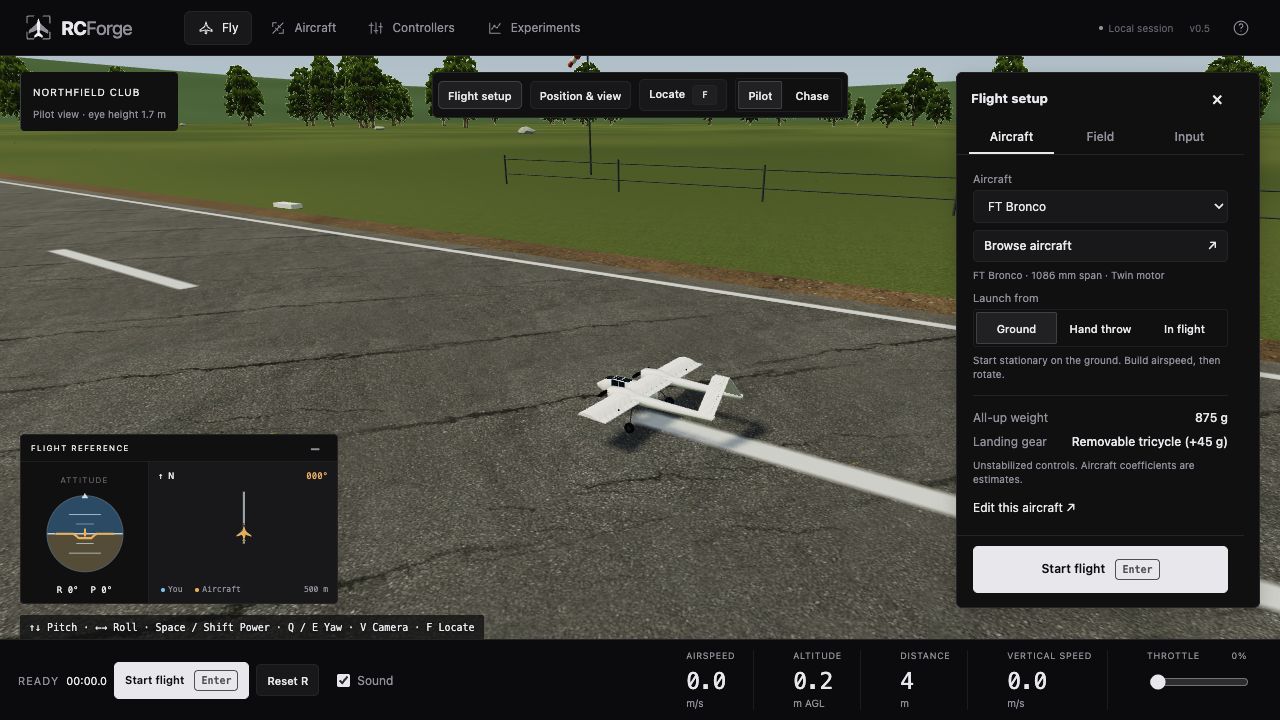
Bring your own setup#
- Plans and aircraft: use your design references to create an aircraft definition. Plans provide geometry; component choices and flight parameters still need to be specified.
- Components: choose batteries, motors, propellers and servos, then move parts and check balance.
- Controllers: map a gamepad or RC radio, or build a PPM-to-USB bridge with a compatible Arduino.
- Environments: choose a field and wind conditions, or extend the scenery in code.
RCForge emphasizes customization and transparent models. It does not claim measured real-aircraft equivalence.
New here? Start with a flight#
Follow Your first flight to run RCForge, choose an aircraft and learn the basic keys. You can start with a keyboard; a transmitter is optional.
After that, learn views and flight setup or connect your own controls.
What would you like to do?#
| Your task | Open this guide |
|---|---|
| Fly with a keyboard, gamepad or joystick | Controls and calibration |
| Connect a FlySky transmitter | Choose a radio connection |
| Move the pilot, position the aircraft or change the view | Views and flight setup |
| Change a battery, move the CG or save a setup | Edit, balance and save an aircraft |
| Make controls gentler or add an FPV camera | Cameras, rates and mixing |
| Solve a connection or flight problem | Troubleshooting |
Build on an existing aircraft#
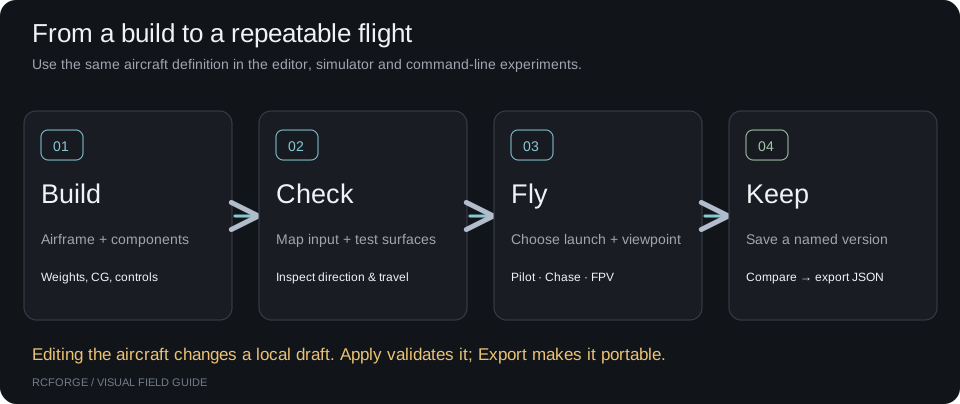
Change one thing at a time and save a version before experimenting. Start in the aircraft editor; use the aircraft file format when you want to add a definition in code.
The aircraft plans and credits page links to the original designers. Model-specific notes cover the Bronco VTOL, quadcopters, Flite Test designs and Vortex Simple Trainer.
How realistic is it?#
The bundled aircraft use estimated physics. Passing a software test does not establish that a real aircraft will fly the same way. Start with benchmarks and evidence for the actual results and what they mean, read known limits, or run physics experiments yourself.
For radio hardware, connection test status distinguishes demonstrated trainer reception from receiver connections that still need testing.
Common questions#
Is RCForge free? Do I need an account?#
The source code is free under the MIT license. You can run the full workbench locally or self-host it without signing in. The official website has a free keyboard-and-Simple-Trainer guest session; free Google sign-in unlocks the other aircraft, controllers and editing tools. See installation and self-hosting.
Can I fly with my RC transmitter?#
Yes, with a compatible USB simulator adapter or a supported PPM/PWM-to-USB serial bridge. A transmitter's charging or firmware cable is not necessarily a joystick adapter. Start with the radio connection guide, which identifies the hardware routes and their test status. Keyboard and gamepad input are also available.
Can I add my own RC plane or drone?#
You can import an aircraft JSON file, change components and export your setup. To recreate a physical build, use its photos, dimensions, plans and component specifications with the aircraft authoring guide. An external coding agent can help write the definition; RCForge does not automatically turn a photo into a validated flight model.
What aircraft and camera views are included?#
The presets include the Vortex RC Simple Trainer, FT Tiny Trainer, FT-22 Raptor, both Bronco tail configurations, an experimental Bronco tricopter VTOL and Quad X drones. Use a ground-level pilot view, follow the aircraft in chase view, or place an FPV camera on it. See aircraft plans and credits and camera setup.
Are my aircraft saved online?#
Aircraft versions, controller calibration and preferences stay in your browser. Signing in to the hosted site does not synchronize your designs between devices. Export your aircraft or version history for a portable backup; see local aircraft versioning.
Contribute a change#
Start with your first contribution. For code changes, read the architecture; if using a coding agent, give it the agent workflow. You can contribute without using an AI service.
About these docs#
Use the sidebar to browse a topic, or Search docs to find a term. Each page identifies its documentation version. Development describes the current work; a frozen release keeps its own instructions and downloads.
The same Markdown is readable on GitHub and at /docs/ beside the simulator. Existing guide URLs stay valid when navigation changes. Maintainers can edit these docs or follow the release workflow.